
You (probably) don't understand Claude Code memory.
A practical guide to global, project, and rule-level memory design

This week, I walked my team through how I have been using Claude Code in real projects.
The discussion quickly drifted away from prompts and into something more interesting: why Claude sometimes feels incredibly reliable, and other times strangely inconsistent. Almost every example traced back to the same root cause — a misunderstanding of memory.
That conversation stuck with me. It felt like something worth sharing more broadly, because Claude Code memory is powerful, but only if you stop thinking of it as “memory” in the human sense. This post is my attempt to explain the mental model that finally made it click for me. I break down how Claude Code memory actually works, how its different layers interact, and how to design memory files that make Claude a predictable, reliable collaborator in real projects.
If you are interested, in learning how to make the most out of Claude’s memory, this post is for you.
What this blog will cover
What is Claude Code memory, really?
What “memory” means in practice, and why it is less about tone or style and more about how Claude decides when to plan, ask questions, or act.How do memory hierarchies work across global, team, and project levels?
A clear mental model of how different layers of memory interact, with concrete examples from data science and data engineering workflows.What belongs in a global
CLAUDE.mdfile? (and my personal example)
How to define stable behavioural rules that apply everywhere and why treating this file as “Claude’s personality” is a mistake.
How should project-level
CLAUDE.mdfiles be structured?
Practical guidance on organising rules by themes and constraints, without over-describing the project or fighting the codebase.What does this look like in real projects?
Two worked examples: one for building an ML model, and one for running an ETL pipeline, showing how memory choices directly change Claude’s behaviour.How should these memory files evolve over time?
When to update them, when to leave them alone, and when clearing memory is the healthiest option.
Let’s get started!
What is Claude Code memory, really?
At its simplest, Claude Code memory is just text.
More precisely, it is a set of Markdown files that Claude reads every time a new session starts. These files contain instructions that are injected into Claude’s context before it ever sees your first message.
That simplicity is important. There is no magic database, no long-term learning, and no mysterious internal state. Claude (and probably all LLM systems) does not “remember” in a human sense.
It re-reads instructions, every time. Something like this 👇
New Claude Code session starts
           ↓
Load Markdown memory files
(global / team / project)
           ↓
Inject contents into prompt context
           ↓
Claude reasons over:
- goals
- constraints
- allowed actions
           ↓
User sends first message
           ↓
Claude responds (with memory applied)
Why Markdown matters here
Claude Code memory lives in Markdown files, typically named CLAUDE.md. That choice is not accidental.
Markdown is a format that large language models understand extremely well:
It has clear hierarchy through headers and subheaders
It supports lists, bold, and italics to signal emphasis
It separates concerns naturally without verbosity
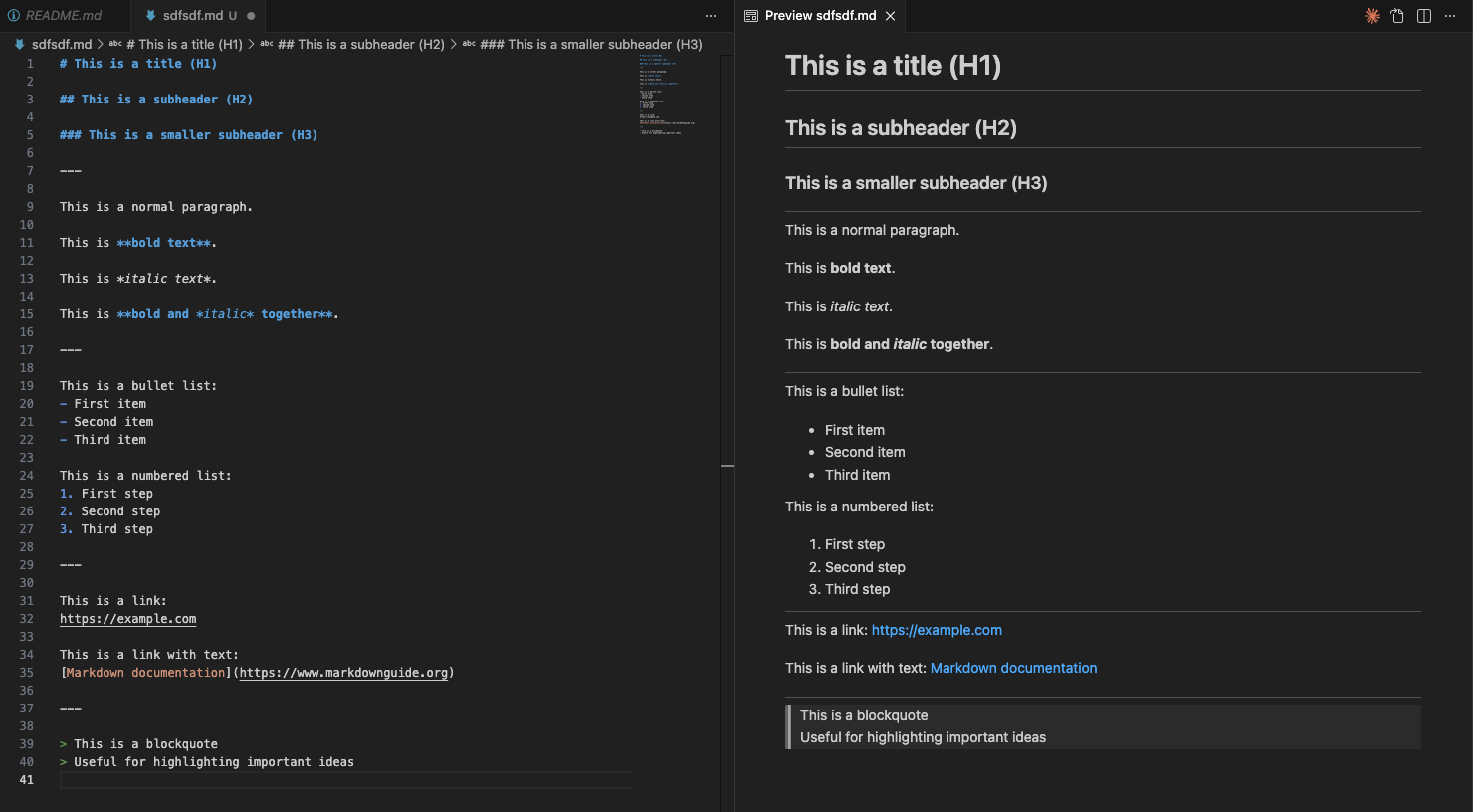
In other words, Markdown already encodes structure, and LLMs are very good at exploiting structure. This also makes the files pleasant for humans. You can read them as plain text, edit them in any IDE, and preview their rendered form side by side.
How memory is actually injected
At a high level, Claude Code memory works like this:
Claude starts a new session
The relevant memory files are read
Their contents are inserted into the prompt context
Only then does Claude process your request
In practical terms, Claude memory is very close to a copy-and-paste operation. This is where many people draw the wrong conclusion. They think:
“If this is just text being injected, I should describe everything. Every preference. Every edge case. Every possible interaction.”
That is wrong a lot of reasons which we will describe later. But the effects I have seen is that people start writing these instructions to try to give Claude “personality”.
Personality is, simply, the wrong metaphor. Now, this instinct is understandable because when people hear “memory”, they think about tone, voice, friendliness, verbosity. They try to encode how Claude should sound.
But, Claude Code memory is not primarily about conversation.
It is about coordination.
Memory for coordination
A better framing is this:
Claude Code memory defines how Claude behaves as a collaborator, not how it chats.
When Claude reads memory, it is not optimising for phrasing. It is deciding how to operate.
Questions like:
Should I propose a plan before acting?
How much ambiguity is acceptable before I stop and ask?
Am I allowed to edit files directly?
Should I prioritise correctness or speed?
How risky is this change?
These decisions happen before any text is generated. By the time you see an answer, the important choices have already been made.
This is why a short, well-designed memory file can feel transformative (and a long, verbose one can feel ignored).
A crucial segue: memory is not flat
One final clarification before we go deeper.
Although memory is injected as text, it is not treated as a single flat block. Claude is more intelligent than that. It reasons over where instructions come from and how broadly they should apply.
This is why Claude Code supports memory hierarchies: global, team, and project-level memory. Different files apply at different scopes, and Claude uses that structure to decide which rules matter most in a given situation.
That hierarchy — not verbosity — is what makes memory powerful.
And that is what we will tackle next.
How do memory hierarchies work across global, team, and project levels?
Claude Code memory is not a single file. It is organised as a small hierarchy of Markdown files, each applying at a different scope.
The hierarchy at a glance
A simple way to visualise this is to borrow a repository-style layout:
~/.claude/
└── CLAUDE.md                  # Global memory (always loaded)

project-repo/
├── CLAUDE.md                  # Project memory (always loaded)
├── .claude/
│   └── rules/
│       ├── testing.md         # Applied conditionally
│       ├── viz-standards.md   # Applied conditionally
│       ├── ml-experiments.md  # Applied conditionally
│       └── notebooks.md       # Path-scoped via `paths:` frontmatter
├── src/
├── tests/
├── notebooks/
└── README.md
Conceptually, Claude sees this as:
Enterprise / User memory
        ↓
Global CLAUDE.md
        ↓
Project CLAUDE.md
        ↓
Project rules (.claude/rules/*.md)
        ↓
(Conditional rules, if applicable)
        ↓
Your first message
Are all memory files loaded every time?
When you start a session, Claude Code automatically injects memory files into its prompt context based on a defined hierarchy, where broader contexts (enterprise or user) are loaded first and more specific contexts (project) override them.
For example:
The global
CLAUDE.mdis always appliedThe project
CLAUDE.mdis always applied when working inside that repositoryModular rules in
.claude/rules/*.mdare also loaded and become part of the project’s context. These files can be kept topic-specific (for example, data-visualisation standards or testing guidelines).
However, you can make some of these files “conditional”
Conditional path-scoped rules. You can make rules that only apply when editing certain files by adding a
pathsfrontmatter section — e.g. rules that only activate when working on Python test files or notebooks. This is the closest built-in mechanism Claude has to “only load relevant rules.”You can point Claude to specific files using pointers like
@path/to/importletting you organise deeper guidance externally while controlling exactly when it becomes part of the loaded context.
(Don’t worry, we will cover all these details later and in different posts)
Despite Claude loading or not certain files, when it does, the contents of these files are injected into the prompt context before your first message.
This has an important implication.
Context is finite, even if memory feels free
Because memory is injected as text, every line you add consumes context budget.
This is why memory hierarchies exist in the first place:
Global memory should stay small and stable
Project memory should be focused and scoped
Repetition across files is costly
Verbosity compounds quickly across sessions
This is also why treating memory as a place to document everything is a mistake. You are not writing a wiki. You are shaping behaviour under tight constraints.
We will come back to this when we discuss project-level memory patterns and techniques like referencing, grouping, and controlled expansion.
Now that we understand how Claude Code memory is structured and loaded, we can move from mechanics to intent. We will start with the global CLAUDE.md — the one file that applies everywhere and shapes how Claude behaves across all projects.
What belongs in a global CLAUDE.md file? (and my personal example)
The global CLAUDE.md file is the highest-leverage memory file you will write.
The goal is to define a few stable expectations that will not change from one project regardless of what these projects are (content generation, coding, researching, etc).
This is why the global CLAUDE.md should feel like a working contract. Not documentation, nor personality design.
Below you can see some high level guidelines on what to include or avoid in this global file:
My own CLAUDE.md file
# Jose's Global Claude Code Preferences

## Relationship and Voice

- In CLAUDE.md files, Jose and Claude avoid pronouns:
  - Use “Jose” (or “the human”) and “Claude”.
  - Example: “Jose writes, Claude edits.”
- In normal conversation (chat), Jose and Claude use natural language pronouns as usual.

## Primary Objective

- Claude optimises for correctness and clarity over speed or cleverness.
- Claude prefers long-term maintainability and ease of understanding.

## Planning and Change Control

Claude proposes a brief plan before implementing non-trivial work.

Non-trivial includes:
- new functionality
- architectural or behavioural changes
- refactors or changes across multiple files
- tasks with multiple reasonable approaches
- substantial output (for example: a new file >50 lines, code spanning multiple functions, or documentation >300 words)

Process:
- Claude proposes: (1) approach, (2) key trade-offs, (3) a short checklist of steps.
- If requirements are ambiguous, Claude asks the minimum number of clarifying questions needed to proceed.
- For non-trivial work, Claude waits for explicit approval before implementation.

Trivial work may be done directly:
- typos, mechanical edits, obvious bug fixes, tiny refactors

## Communication Style

- Claude is direct and specific in critique and feedback.
- Claude avoids hedging language when making technical recommendations.
- Claude uses bullet points for summaries, decisions, and feedback.
- Claude explains tool usage proportionally:
  - trivial actions: minimal explanation
  - non-trivial decisions: clear reasoning

## Defaults for Outputs

- When Claude proposes a plan, Claude keeps it short (3–7 bullets).
- When Claude provides recommendations, Claude includes:
  - what Claude would do
  - why
  - what could go wrong (if relevant)
My CLAUDE.md file is:
~50 lines long.
Defines operational behaviour and risk posture.
Draws a clear line between trivial and non-trivial work.
Makes feedback useful, not polite or flattering.
In other words, I describe how Claude should behave when collaborating with me.
How should project-level CLAUDE.md files be structured?
If the global CLAUDE.md defines how Claude behaves everywhere, the project-level file defines how a specific repository works.
Anthropic’s own guidance describes project memory as the place for important project information, conventions, and frequently used commands.
Community practice has converged on a similar framing: A project
CLAUDE.mdis best thought of as AI onboarding plus an operating manual — not as a dumping ground for everything you know about the system.
What a project CLAUDE.md is for
A well-structured project file helps Claude answer questions like:
What does this system do, at a high level?
What constraints matter here?
How is this repo organised?
How do people typically build, test, and change things?
What would be dangerous to modify casually?
It should contain information that materially changes Claude’s decisions, not information Claude can easily infer from reading the code.
How descriptive should it be?
Brief, explicit, and high-signal. Best practice is to include a short description of the project, usually just a handful of bullets:
what the system does,
what matters most (constraints),
what is explicitly out of scope,
where the important directories live.
If you already have a good README or architecture document, reference it rather than duplicating it. Repetition wastes context and increases the chance of drift.
How long should it be?
There is no hard limit, but real-world usage shows a clear pattern:
20–80 lines → small repos, libraries, single services
80–200 lines → typical product services, multi-module repos
Beyond ~200 lines → once a project
CLAUDE.mdstarts to feel like a “long document”, it becomes harder to maintain and easier to contradict. This is exactly why modular rules exist.
Architecture and plans: keep them lightweight
Project memory is a good place for a short “architecture at a glance” section:
key components,
how they relate,
where they live in the repo.
It is not a good place to maintain an execution plan or a running checklist. Plans change too often, and memory files should not become fossils.
If you need repeatable workflows, use issue trackers, commands, or purpose-bound skills, not a static plan embedded in memory.
Avoiding bloat with .claude/rules/
The most important structural principle is this: The root project CLAUDE.md should stay small and stable.
Anything that is deep, topic-specific, path-specific, or only relevant some of the time, is usually better placed in modular rule files under .claude/rules/.
The project CLAUDE.md becomes the index.
.claude/rules/ becomes the detail.
With this structure in mind, we can now look at what this actually looks like in practice. In the next section, we will walk through real project examples, starting with a data science workflow and then contrasting it with a data engineering pipeline.
What does this look like in real projects?
